Eric Weeks
- personal pages - softwareQUASI.CProgram to make quasi-crystalline patterns |
weeks@physics.emory.edu |
Eric Weeks
- personal pages - softwareQUASI.CProgram to make quasi-crystalline patterns |
weeks@physics.emory.edu |

 Click here to see the source code, for my software
(works with unix C compilers).
Click here to see the source code, for my software
(works with unix C compilers).
Click here to download quasi_color.c, a modified version by S J King that includes colors. He's commented the code with his name to indicate where he made changes, and if you have questions you can contact him at zh84stephen(at)googlemail.com.
This program makes Penrose tesselation pictures using a method I learned in a class I took, taught by Mike Marder. I have made a web page which describes the algorithm used by this program. Using this program, you can make the following sorts of pictures (although actually, some of the coloring has been added afterwards by changing the greyscale output of the program with the graphics program "xv").
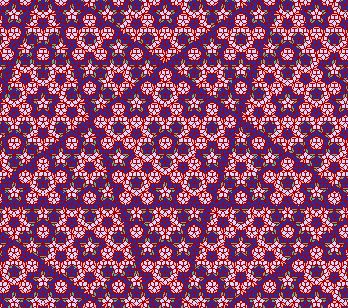
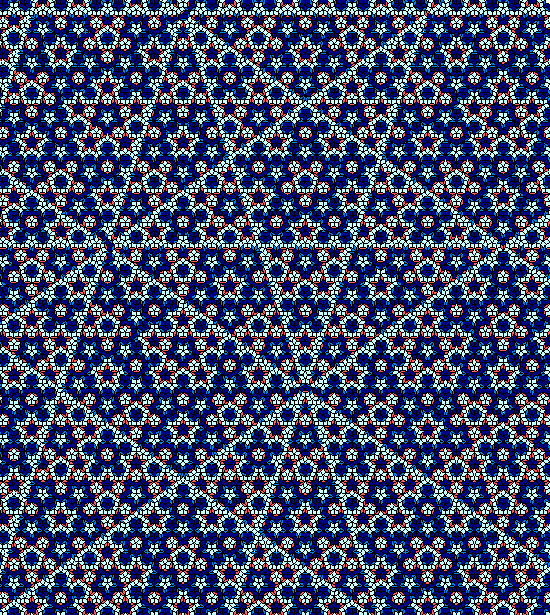
(above picture made with command "quasi -z -n 80 -m 0.3 > quasi4.ps")
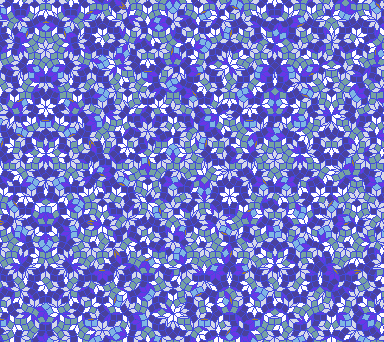
(above picture made with command "quasi -z -m 0.6 -S 7 > quasi7.ps")
Also, there is a feature for drawing just the line drawings rather than filling the polygons. (Not pictured on this page, though.) By using the -M and -N options you can create additional effects. These options connect the midpoints of pairs of sides of the quasi-crystal. -M controls how the skinny tiles are treated, and -N the fat tiles.
There are several pairs of sides. -M1 (or -N1) connects pairs of sides that meet at an acute angle; the -M2 command does the same for pairs meeting at an obtuse angle. -M4 does both, to create small rectangles inside each tile. -M3 connects opposite sides to form crossing lines inside each tile. -M5 randomly alternates between type 1 and 2; -M6 randomly alternates between types 1, 2, and 3.
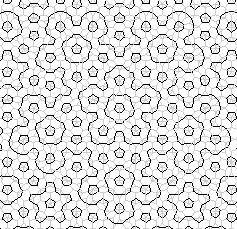
(above picture made with the command "quasi -M1 -N1 > qmid1.ps")
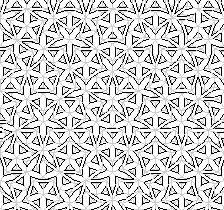
(above picture made with the command "quasi -M2 -N2 > qmid2.ps")
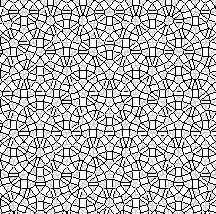
(above picture made with the command "quasi -M3 -N3 > qmid3.ps")
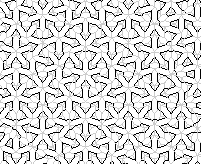
(above picture made with the command "quasi -M1 -N2 > qmid4.ps")
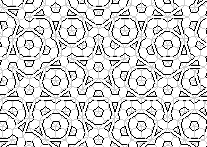
(above picture made with the command "quasi -M2 -N1 > qmid5.ps")
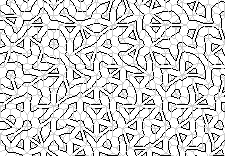
(above picture made with the command "quasi -M5 -N5 > qmid6.ps")
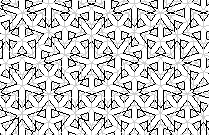
(above picture made with the command "quasi -M3 -N2 > qmid7.ps")
 | Kevin Duffy has used my program to create a wonderful version for Windows. However, as of late 2008 & early 2009, people have reported to me that they cannot download the program; I'm not sure what the situation is. The QuasiG website seems to be currently unmaintained and unsupported. Click here to see his page. His program is free. The version I have here is intended for a unix environment, unfortunately, so I'm very glad that Kevin wrote a version that's more useful for most people, and hopefully it will be available again in the future. Kevin, if you read this, let me know what's up! |
![[home]](../stuff5/knobhome6.gif)
![[research]](../stuff5/knobrese6.gif)
![[software]](../stuff5/knobsoft6.gif)
![[pics]](../stuff5/knobpics6.gif)
![[misc/links]](../stuff5/knobmisc6.gif)
![[about me]](../stuff5/knobme6.gif)